
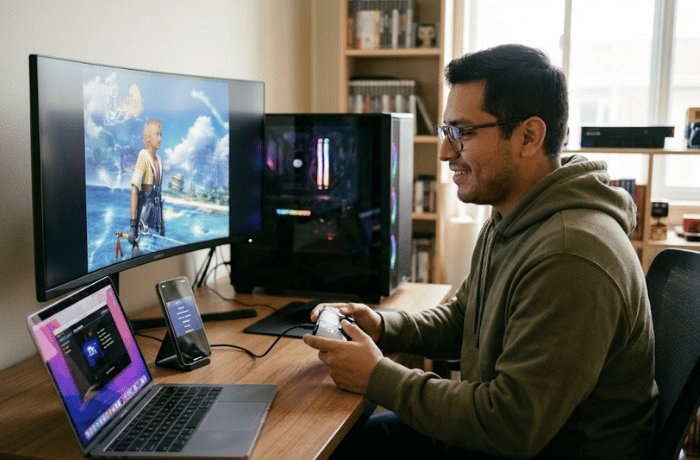
Choosing the best PS2 emulator depends heavily on the device you use. PCSX2 is our top choice for Windows, macOS, and Linux because it combines broad compatibility with active development. Android users should consider NetherSX2, while Play! offers the simplest cross-platform option without an external BIOS.
Quick answer: PCSX2 is the strongest overall choice for desktop players in 2026. NetherSX2 is a practical Android option, while Play! supports desktop and mobile platforms without requiring an external BIOS. RetroArch’s LRPS2 core suits users who already manage several classic systems through one interface.
| Pick | Best for | Platforms | BIOS needed? | Main advantage |
|---|---|---|---|---|
| PCSX2 | Best overall | Windows, macOS, Linux | Yes | Mature compatibility and graphics features |
| NetherSX2 | Android users | Android | Yes | Mobile-focused controls and performance options |
| RetroArch LRPS2 | Multi-system setups | Windows, macOS, Linux | Yes | Keeps several emulators in one interface |
| Play! | Easy setup | Windows, macOS, Linux, Android, iOS | No external BIOS | Broad platform support |
| AetherSX2 | Existing installations | Android | Yes | Familiar interface for current users |
Our Best PS2 Emulator Picks at a Glance
PS2 emulation has improved enough that several options can deliver excellent results today. The correct choice still depends on your hardware, operating system, and preferred games. No emulator guarantees perfect performance across the complete PlayStation 2 library.
For most U.S. desktop users, PCSX2 takes first place because it receives current development and supports modern graphics APIs. Its official project describes support for Windows, Linux, and macOS, plus resolution scaling, save states, and memory-card features. You can check the current project directly through the official PCSX2 website.
Key takeaways
- PCSX2: Best overall for Windows, macOS, and Linux.
- NetherSX2: Strong practical choice for Android devices.
- RetroArch LRPS2: Best for people already using RetroArch.
- Play!: Best option when you want no external BIOS requirement.
- AetherSX2: Better treated as a legacy option for existing installations.
- Performance varies by game, processor, graphics hardware, and settings.
1. PCSX2: Best Overall Choice for PC and Mac
PCSX2 earns our first recommendation because it combines maturity, active development, and broad game support. The project has existed for more than two decades and continues receiving updates. Its official documentation supports Windows, macOS, and Linux.
The emulator offers internal resolution scaling, save states, virtual memory cards, controller mapping, and several graphics renderers. These tools can make older games look much sharper on modern displays. They also let you adjust individual titles when default settings produce visual or performance problems.
PCSX2 requires a BIOS dumped from a PlayStation 2 console you legally own. You also need your own game backups, not downloaded commercial game files. The project’s system requirements explain which processors and graphics hardware suit different workloads.
Pros.
- Active open-source development
- Strong desktop game compatibility
- Resolution scaling and graphics improvements
- Save states and virtual memory cards
- Windows, Linux, and macOS support
Cons.
- Requires your own PS2 BIOS
- Demanding games need stronger hardware
- Some games need individual settings
PCSX2 is the easiest recommendation for someone building a dedicated PS2 library on a desktop computer. It gives experienced users enough settings without making basic play unnecessarily complicated. Start here unless your main device is an Android phone or tablet.
2. NetherSX2: Best Option for Android Users
Android emulation is different because PCSX2 remains primarily a desktop project. NetherSX2 targets Android and provides touch controls, controller support, save states, and graphics adjustments. Its project documentation also requires users to provide their own legally obtained BIOS.
Performance depends strongly on the phone’s chipset and graphics drivers. One game may run smoothly while another needs native resolution or different rendering settings. Higher-end Snapdragon hardware generally gives users more room for resolution scaling and demanding titles.
NetherSX2 deserves consideration because the once-popular AetherSX2 project stopped active development. Recent Android comparisons now place community alternatives ahead of new AetherSX2 installations. Anyone moving between mobile systems may also enjoy fjreo.com’s guide to the Madden experience on Switch.
Pros.
- Designed around Android devices
- Supports physical controllers
- Includes per-game graphics adjustments
- Familiar setup for former AetherSX2 users
Cons.
- Installation may require more manual work
- Performance varies widely between phones
- Requires your own PS2 BIOS
Choose NetherSX2 when Android is your primary gaming platform, and you accept some setup work. Test your favorite games before changing several advanced settings at once. Mobile heat and throttling can affect longer sessions even when a game starts smoothly.
3. RetroArch LRPS2: Best for a Multi-System Library
RetroArch appeals to people who want several classic systems inside one frontend. Its LRPS2 core is a heavily modified PCSX2 fork designed for the Libretro environment. Official documentation currently lists Windows, Linux, and macOS on x86-64 systems.
LRPS2 supports hardware rendering through options including Vulkan, OpenGL, and certain Direct3D versions. The exact renderer availability depends on your operating system. You can review current requirements through the official LRPS2 documentation.
This option makes the most sense when RetroArch already manages your other consoles. A dedicated PCSX2 installation remains simpler for someone who only wants PlayStation 2 games. RetroArch adds value through library consistency rather than automatically producing faster emulation.
Pros.
- Fits an existing RetroArch setup
- Centralizes several classic systems
- Offers multiple graphics renderers
- Uses a mature PCSX2-derived core
Cons.
- More frontend complexity
- Not available natively on Android through LRPS2
- Dedicated PCSX2 is simpler for PS2-only users
RetroArch users may appreciate keeping controller profiles and interface habits consistent across systems. Dedicated PS2 players gain less from the extra frontend layer. Pick LRPS2 because you value organization, not because you expect every game to outperform PCSX2.
4. Play!: Best Cross-Platform Option Without an External BIOS
Play! takes a different approach by using a built-in, high-level emulation BIOS. That means an external PS2 BIOS file is not required. The project supports Windows, macOS, Linux, Android, iOS, and even browser-based experimentation.
Its broad platform reach makes Play! appealing when PCSX2 or NetherSX2 does not fit your device. Compatibility can be less consistent across particular games, so checking the project’s tracker is worthwhile. Current builds are available from the official Play! website.
Play! can also make initial experimentation easier for newcomers who dislike BIOS setup. That convenience doesn’t guarantee better performance than leading platform-specific choices. Try your most important games before committing your full library.
Pros.
- No external BIOS required
- Supports desktop and mobile systems
- Available for iOS
- Open-source project
Cons.
- Game support can vary
- Fewer tuning resources than PCSX2
- PCSX2 remains stronger for most desktop users
Play! is our preferred alternative when platform flexibility matters more than maximum compatibility. It is especially useful for iPhone or iPad users exploring PS2 emulation. Desktop players should normally test PCSX2 first.
5. AetherSX2: A Legacy Choice for Existing Android Setups
AetherSX2 once dominated Android recommendations because it delivered impressive performance on capable phones. Active development stopped in 2023, which changed its long-term value. New users should consider maintained alternatives before downloading old APK files from unknown websites.
Existing installations can still work well for games already configured on a specific device. There is little reason to replace a stable setup purely for novelty. Security and download-source concerns matter more when installing discontinued applications today.
Pros.
- Familiar to long-time Android users
- Mature settings and interface
- Can remain useful on existing setups
Cons.
- Development has stopped
- Unofficial APK sources create additional risk
- Better choices exist for new installations
Keep AetherSX2 if your existing installation already handles the games you play. New users should start with a current Android project instead. Avoid websites offering bundled ROM collections or modified packages with unclear origins.
Which Emulator Should You Choose?
| Your situation | Recommended choice | Why |
|---|---|---|
| Windows gaming PC | PCSX2 | Best balance of compatibility and features |
| Mac or Linux desktop | PCSX2 | Current official desktop support |
| Android phone or handheld | NetherSX2 | Built around mobile controls and hardware |
| Existing RetroArch library | LRPS2 | One frontend for several classic systems |
| iPhone or iPad | Play! | Native iOS availability |
| No external BIOS setup wanted | Play! | Uses high-level BIOS emulation |
| Existing working AetherSX2 setup | Keep AetherSX2 | No urgent reason to replace a stable setup |
Your games should influence the final decision more than any ranking. Emulation accuracy differs between titles because PlayStation 2 software used the original hardware in unusual ways. Test the games you care about instead of assuming one result applies to everything.
Controllers also improve many PS2 games compared with keyboard or touchscreen input. USB gamepads usually provide the closest desktop experience. Console owners interested in accessory connections can also read fjreo.com’s PS5 USB ports guide.
What Hardware Do You Need for PS2 Emulation?
PCSX2’s current requirements start with a modern 64-bit system and compatible graphics support. Stronger processors help games that place heavy demands on the original console’s unusual architecture. Higher internal resolutions also require more graphics performance.
A computer that handles one title at 4K may struggle with another demanding game. Start at native or modest resolution before increasing graphics settings. Stable frame pacing matters more than chasing the highest resolution number.
Android performance changes even more between devices because mobile processors have different CPU, GPU, and cooling designs. Long sessions can reduce performance as a phone becomes warmer. Testing several games gives you a better picture than one benchmark.
Are PS2 Emulators Legal in the United States?
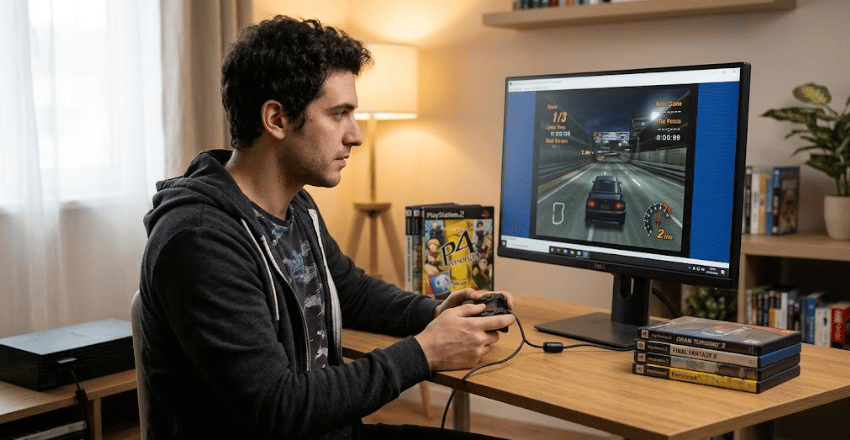
Emulator software itself has legitimate uses, including preservation, development, and playing personal backups. Copyrighted BIOS files and commercial game images create separate legal questions. The safest approach is using files dumped from hardware and game discs you own.
This article does not provide ROM or copyrighted BIOS downloads. Official emulator projects also generally avoid distributing commercial PlayStation software. Use trustworthy emulator websites instead of packages promising hundreds of included games.
Collectors sometimes use emulation alongside original hardware because modern displays and controllers are easier to manage. Others prefer newer consoles for convenience and current online features. For another look at older console software, see fjreo.com’s Deadpool game for Xbox guide.
How to Get Better Performance
Begin with default settings before changing speed hacks or advanced renderer options. Modern emulators already choose reasonable defaults for many systems. Random changes can create glitches that did not exist originally.
Use these adjustments when a game runs slowly:
1. Lower the internal rendering resolution.
2. Try another supported graphics renderer.
3. Close demanding background applications.
4. Check the emulator’s game-specific compatibility notes.
5. Update graphics drivers on desktop systems.
6. Save separate settings for troublesome games.
Change one setting at a time and retest the same scene. This method makes it easier to identify which adjustment helped. It also prevents several experimental settings from creating a new problem together.
Our Verdict
PCSX2 is the best PS2 emulator for most U.S. desktop users in 2026. It combines current development, broad support, strong graphics options, and extensive documentation. Windows, macOS, and Linux users should normally try it before any alternative.
Android users have a less universal answer because hardware differences are much larger. NetherSX2 is a sensible starting point, while Play! offers another path across several mobile platforms. Existing AetherSX2 users can keep a stable installation without chasing unnecessary changes.
Download emulators only through recognized project pages or established repositories. Use your own BIOS and game backups where required. Then test the titles you care about before spending hours adjusting advanced settings.
Frequently Asked Questions
What is the best PS2 emulator for PC?
PCSX2 is our top PC recommendation because it receives active development and offers extensive compatibility features. It supports modern rendering APIs, save states, and internal resolution scaling. Its documentation also covers hardware requirements for Windows, Linux, and macOS.
What is the best PS2 emulator for Android?
NetherSX2 is a practical starting point for current Android users. Its performance depends strongly on your phone’s chipset, graphics drivers, and cooling. Play! is another option if you prefer a project that does not require an external BIOS.
Does PCSX2 require a BIOS?
Yes, PCSX2 requires a BIOS dumped from a legitimately owned PlayStation 2 console. The emulator does not include Sony’s copyrighted BIOS files. Follow the official PCSX2 documentation when preparing your setup.
Can I play PS2 games in 4K?
PCSX2 can render games above their original internal resolution on sufficiently powerful hardware. Results depend on the game, GPU, CPU, and graphics settings. Higher resolution improves image clarity but cannot replace low-resolution original artwork.
Is there a PS2 emulator for iPhone?
Play! provides an iOS version alongside desktop and Android builds. Its game compatibility can differ from PCSX2 on desktop systems. Check the official compatibility information before expecting a specific title to work perfectly.
Is using a PS2 emulator safe?
Reputable open-source projects from their official websites are generally the safer option. Risk increases when users download modified installers, bundled ROM packages, or abandoned APK files from unknown sites. Scan downloads and verify that you are using the project’s genuine distribution page.